No app download or account sign-up is required — you shop through a link the seller shares with you.
Screens shown below use sample data — names, phone numbers and amounts are illustrative.
1. Open a Store's Catalog & Search
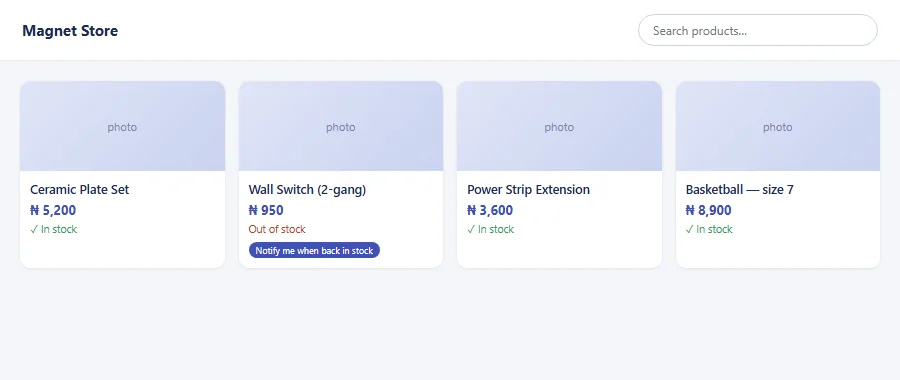
Tap the storefront or item link the seller shared (WhatsApp, Facebook, Twitter, or a direct link). It opens in your phone or computer browser — nothing to install. Use the search box at the top to jump straight to a product by name instead of scrolling the whole catalog.
2. Browse & Choose Products
- Each listing shows a photo, description, and price. Where the seller has turned it on, you'll also see whether an item is in stock.
- Tap/click an item to see full details and available quantity.
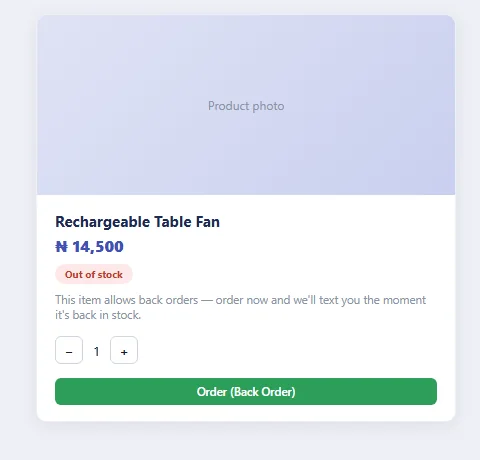
- If an item is out of stock and the seller allows back orders, you can still order it and ask to be notified — you'll get a text automatically the moment it's back in stock, at no extra step on your part.
3. Place an Order
- Select the quantity you want and tap Order.
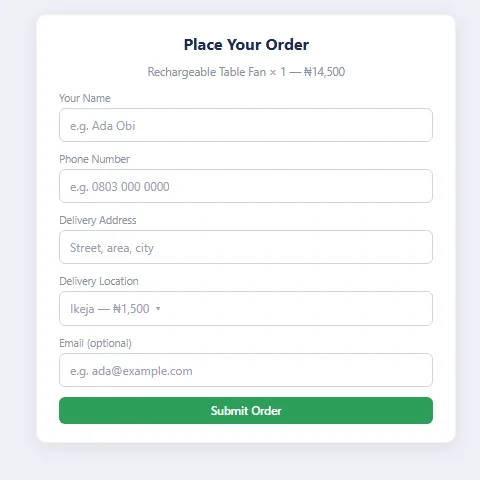
- Enter your name, phone number, delivery address, and email if asked.
- Choose a delivery location — the seller's delivery fee applies automatically.
- Submit — you'll be given an order number, the seller gets an instant alert, and they review it from their Manage Orders screen.
4. Pay for Your Order
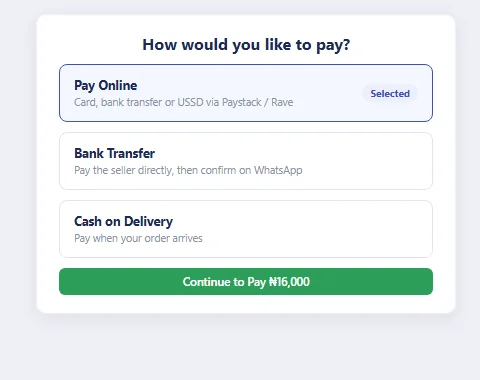
- If the seller has online payment enabled, pay by card, bank transfer or USSD via Paystack or Rave (Flutterwave) at checkout.
- Otherwise, arrange payment directly with the seller (bank transfer or cash on delivery) using the contact details on the storefront.
- Price reductions come from the seller directly (a manual discount or your accumulated loyalty points) — there's no separate coupon code to enter.
5. Track Your Order, Loyalty & Support
- Tracking: there's no self-service tracking screen — the seller updates you directly (call, WhatsApp, or email) on order status and delivery. Quote your order number when you follow up.
- Back-order alerts: if you ordered something out of stock, you don't need to check back — you're texted the moment the seller's stock shows it's available again.
- Loyalty: ordering again through the same storefront link can earn you loyalty points, redeemable for discounts or cashback at the seller's discretion.
- Returns/support: contact the seller directly via the phone/WhatsApp/email on their storefront or receipt — each seller handles returns individually; there is no separate marketplace return system.