Open Balance reminders: filters, tokens, the live cost preview, and who gets skipped.
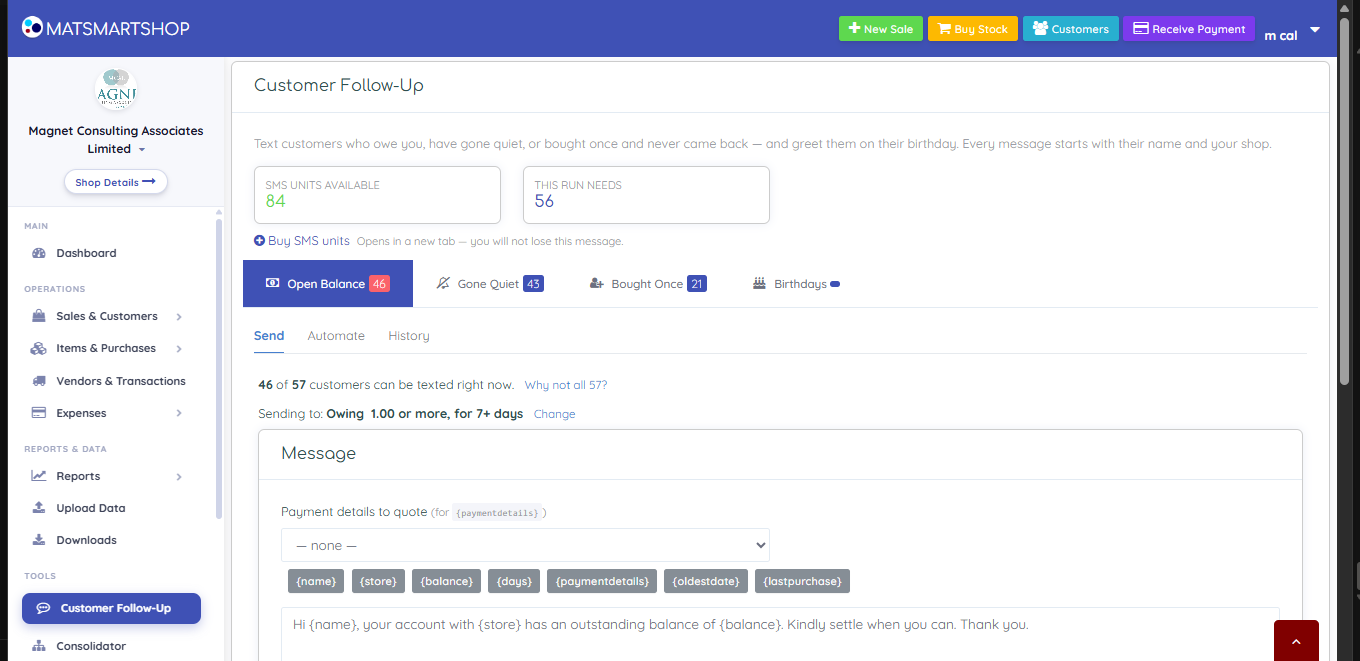
Customer Follow-Up — four audiences across the top, three modes underneath.
Open TOOLS → Customer Follow-Up. Open Balance is the default tab — everyone carrying an unpaid balance.
Click Change on the filter line. Set Minimum balance and Outstanding at least (days), then Apply.
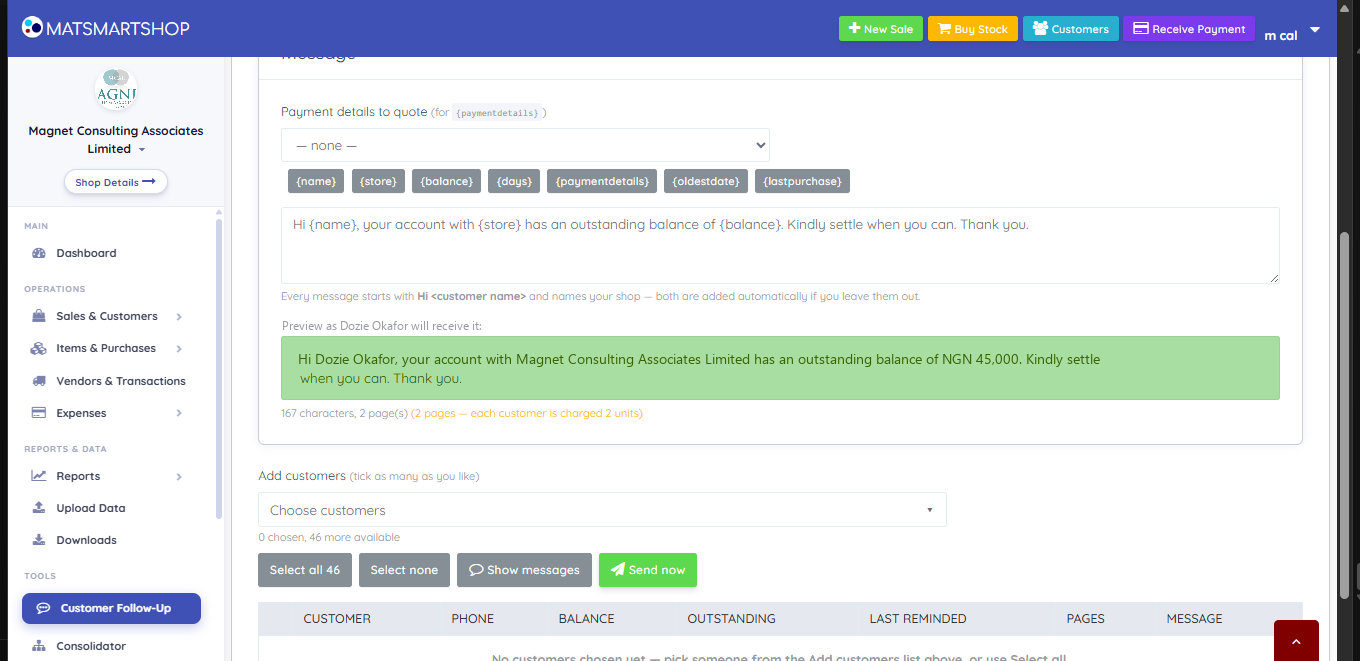
Write the message, dropping in tokens like {name}, {balance}, {paymentdetails} — the greeting "Hi <name>" and your shop name are added automatically.
Check the line under the preview: "167 characters, 2 page(s) — each customer is charged 2 units." SMS is billed per page, so trimming under one page halves the cost of the run.
Select all, or tick recipients individually, then Send now. A confirmation restates the cost before anything goes out.
The composer — tokens, a live preview against a real customer, and the cost per recipient.
Coverage is usually lower than the tab count — click "Why not all N?" for the breakdown: no phone number saved, already texted today, inside your repeat gap, or on the DND register.
Sent is not the same as delivered. You are charged when the network accepts the message, even if it later fails. A customer who repeatedly shows as not delivered has a bad number worth correcting.
I want to…
Do this
Chase everyone who owes me
Open Balance → set filters → Select all → Send now
Stop chasing trivial amounts
Open Balance → Change → raise Minimum balance
Make it run by itself
Automate → set how often, repeat gap and per-run cap → Save
Want texts to go out by themselves instead? Automatic Messages (Sales & Customers -> Automatic Messages) can thank every customer after a purchase, thank customers who pay what they owe, or send a message on a date you choose. See the "Automatic messages" article.
Texts with a 10-digit account number are sometimes held back by the networks. Put the payment link {paylink} in your wording instead: each customer gets a short link to a page with what they owe, your bank details and - if you saved an Online payment link on the payment type - a Pay online button.