Back up, sync, recover your data — and get support
What happens automatically, what to do on a new phone, and where to go when you’re stuck.
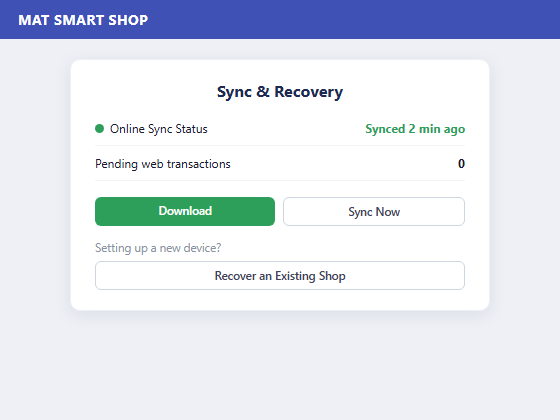
Sync & Recovery — online sync status, Download, and Recover an Existing Shop.
Your records back up automatically — everything you enter on Android syncs to the cloud whenever you’re online, so nothing is lost if your device is damaged or lost.
Using the app alongside the web version? Open the main menu and tap Download (it turns red when new web-side transactions are waiting) to pull them onto your device.
Moving to a new phone? Reinstall the app, choose Recover an Existing Shop, enter your login details, then tap Start Recovery — afterwards run Download again to catch up on any web-side activity.
If your account has more than one store, you’ll be asked which one to bind this device to.
No signal? Keep working — the app runs fully offline and syncs automatically once you’re back online. Watch the Online Sync Status indicator on your dashboard.
Need help? Use the in-app Learning Centre, the tutorials at matsmartshop.com/tutorials.php, or contact support by email, phone or WhatsApp.