5 steps to festive sales
Set it up once. Use it again every season.
-
1
Create your free profile
- Sign up on the web or the Android app.
- No card, no trial, no time limit.
Where: Get started free
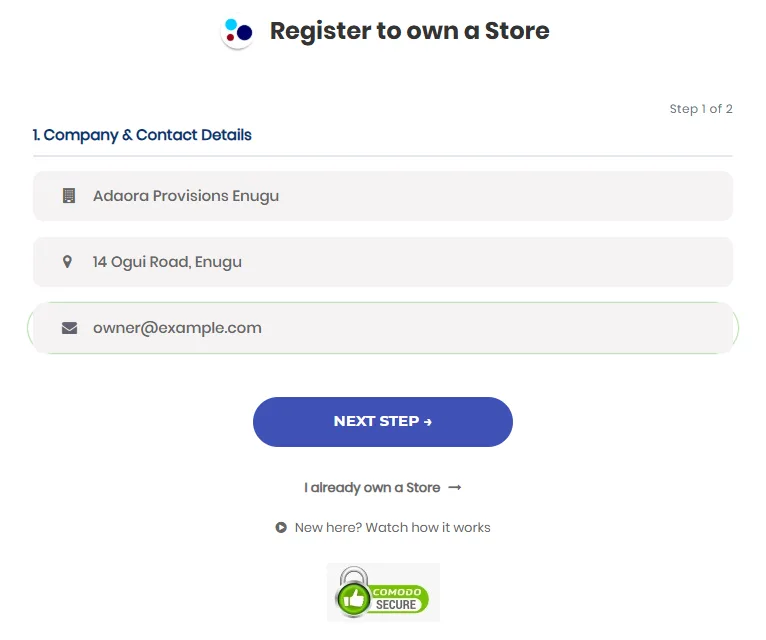
Sign-up takes two short steps. -
2
Publish your Wildfire store
- Add the items you want to sell, with a clear photo.
- Connect Paystack or Flutterwave so customers can pay by card, transfer or USSD.
- Link your WhatsApp number to receive orders.
Where: your catalogue, then publish items to your storefront
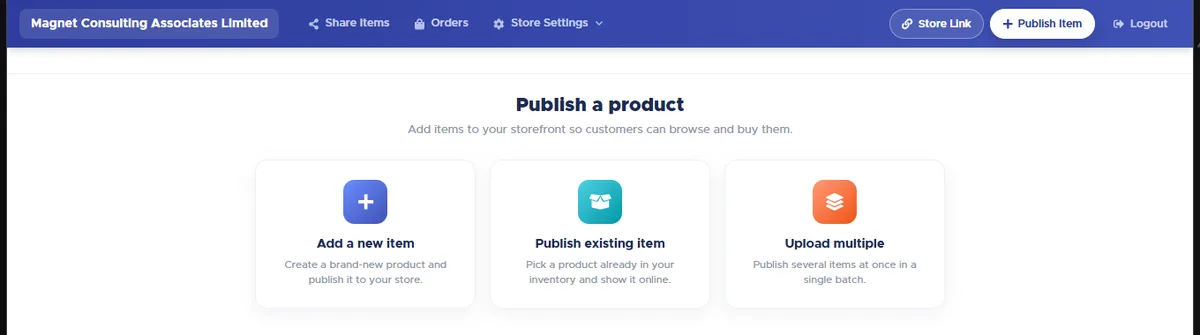
Add one item, pick from your stock, or upload many at once. -
3
Get your customers ready
- Share your store link and ask customers to tap Tell me when it's on sale. They get a text when your deal starts.
- Buy SMS units and request your sender name early. Approval takes 1 to 3 working days.
- Turn on Affiliate Marketing so your fans earn a commission for sharing your store.
Where: Store Settings › Messaging, and Store Settings › Catalogue › Affiliate Marketing
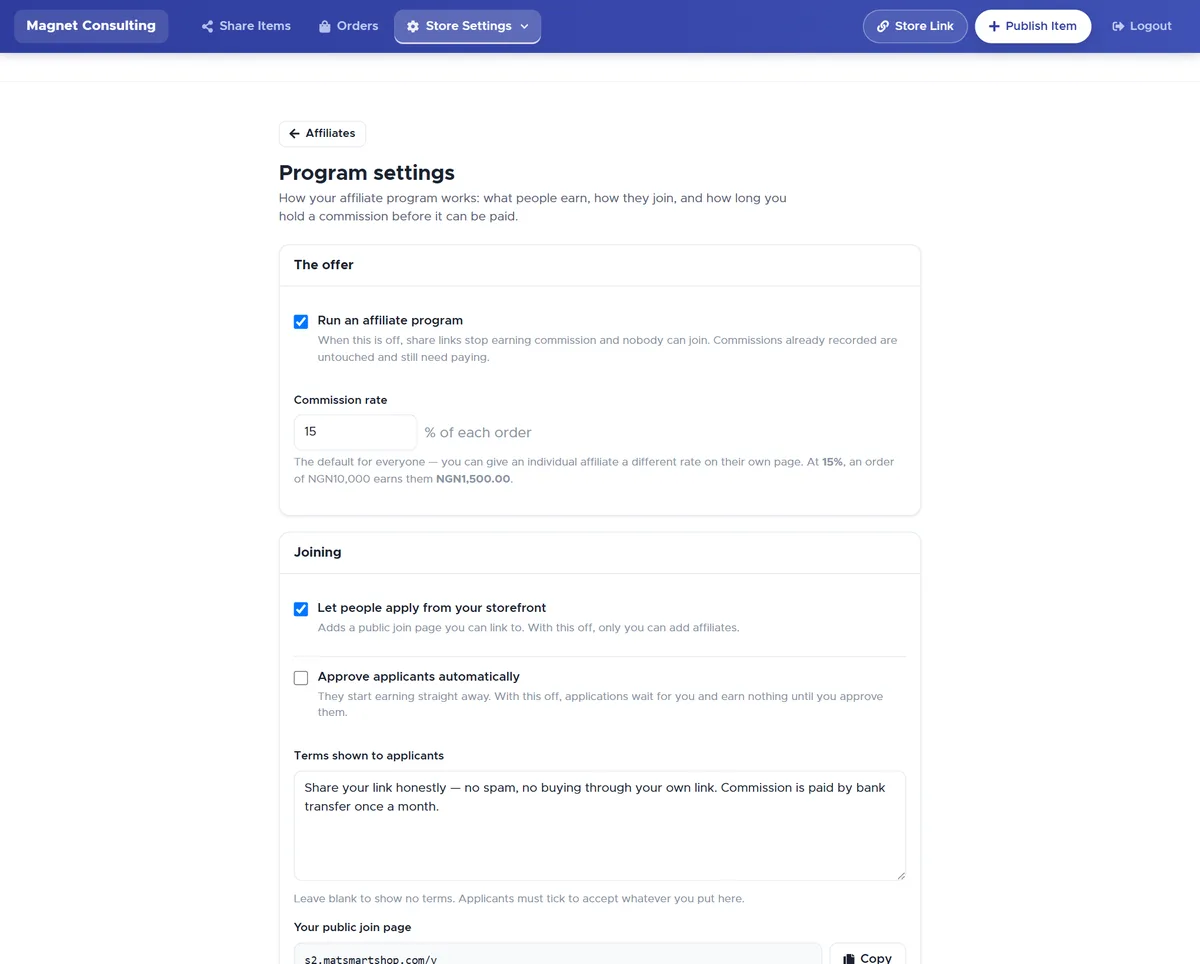
Set the commission your fans earn for each order they bring. -
4
Create your offers and coupons
- Choose a deal: % off, money off, new price, buy some get some free, or bundle price.
- Set the start and end dates and switch on the countdown.
- Create coupon codes. You can give each affiliate their own code.
Where: Offers & Coupons › New offer, or New coupon
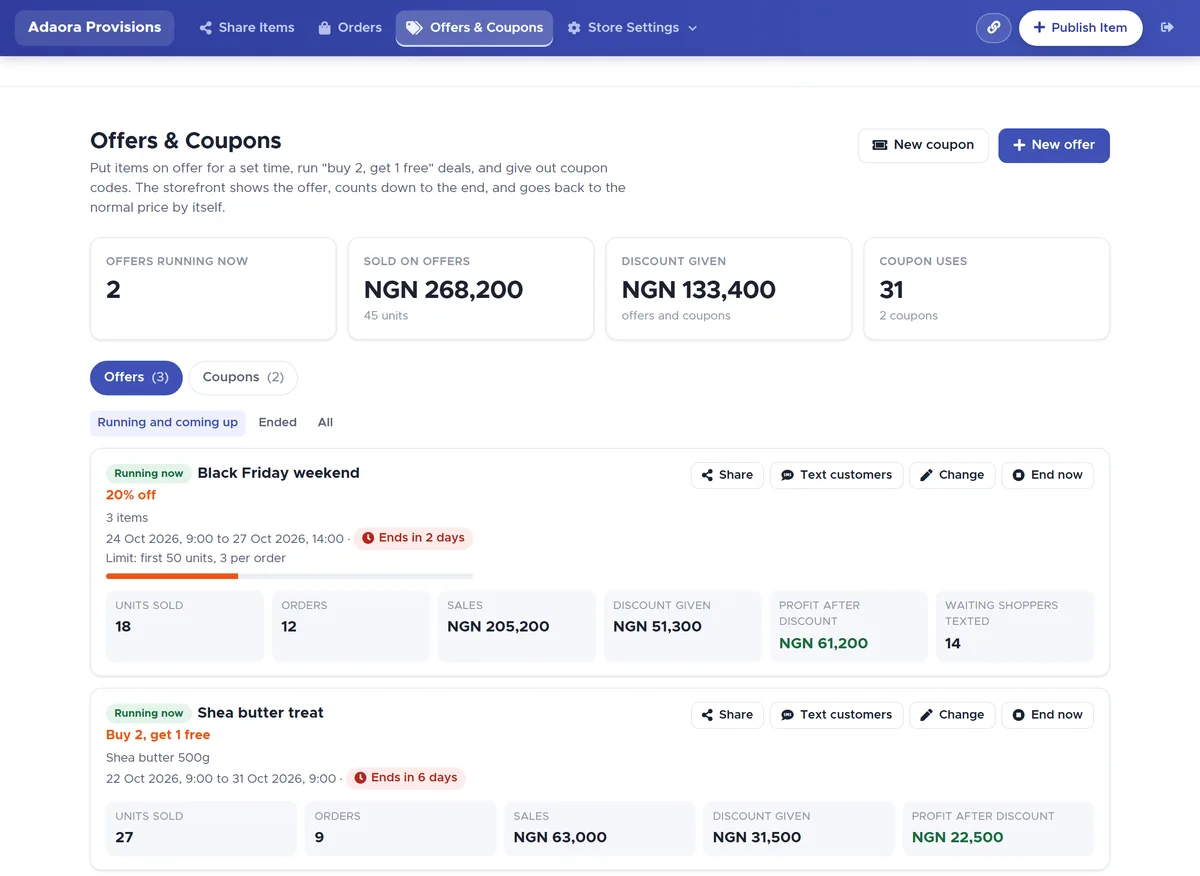
Each offer shows its countdown and how much it has sold, so you can see what is working. -
5
Launch, protect and follow up
- Use Share and Text my customers to send your offer link and coupon codes.
- Use Check Transfer Receipt before you release goods, so fake alerts don't cost you.
- Let automatic messages bring buyers back after the season, then tap Run this offer again.
Where: open your offer › Share or Text my customers
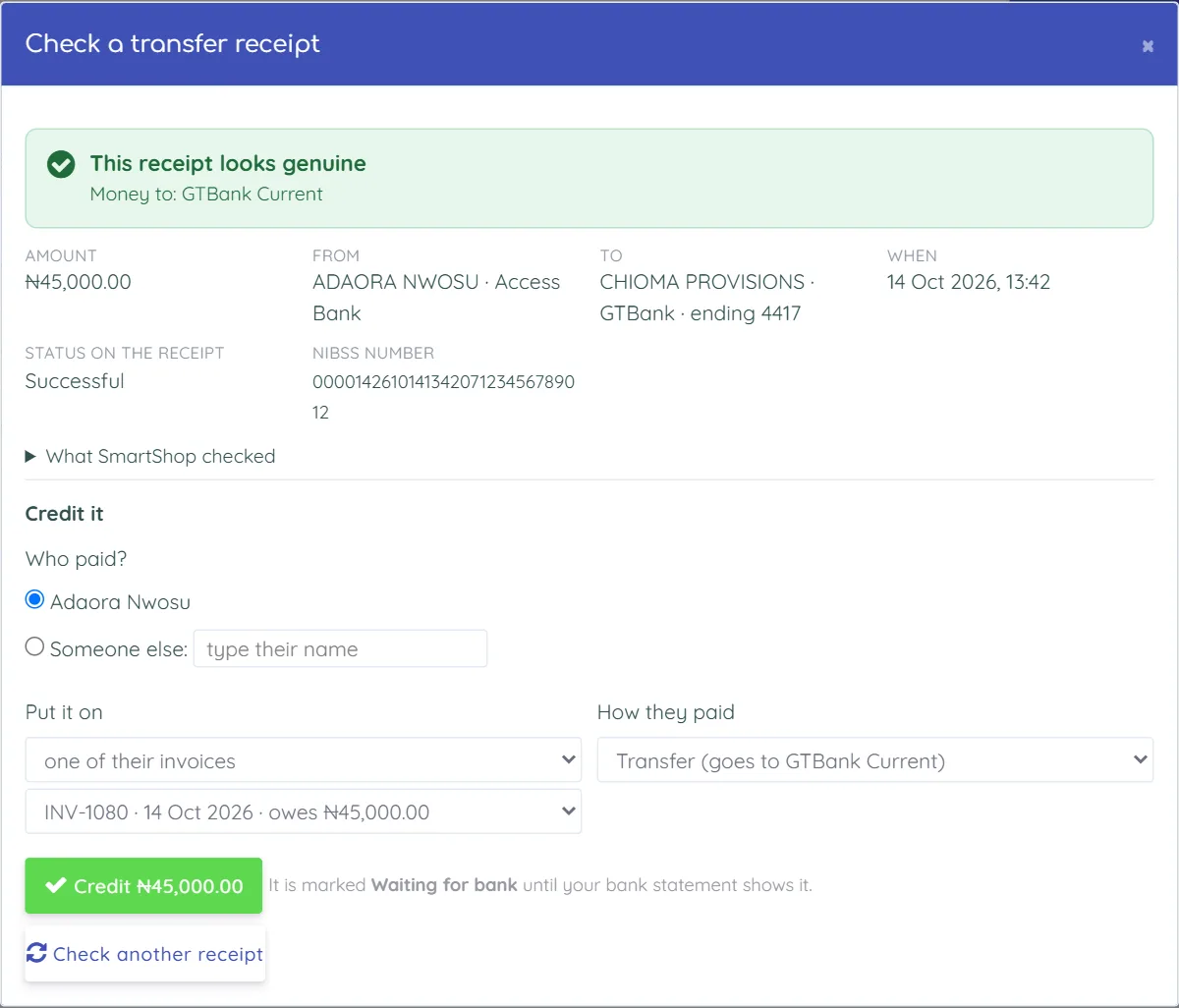
Check Transfer Receipt tells you if a payment alert is real before you hand over goods.